









You can make prepayment to your wallet using Rabbit LINE Pay and use the prepaid credits for your deliveries.
How to Prepay Using Rabbit LINE Pay
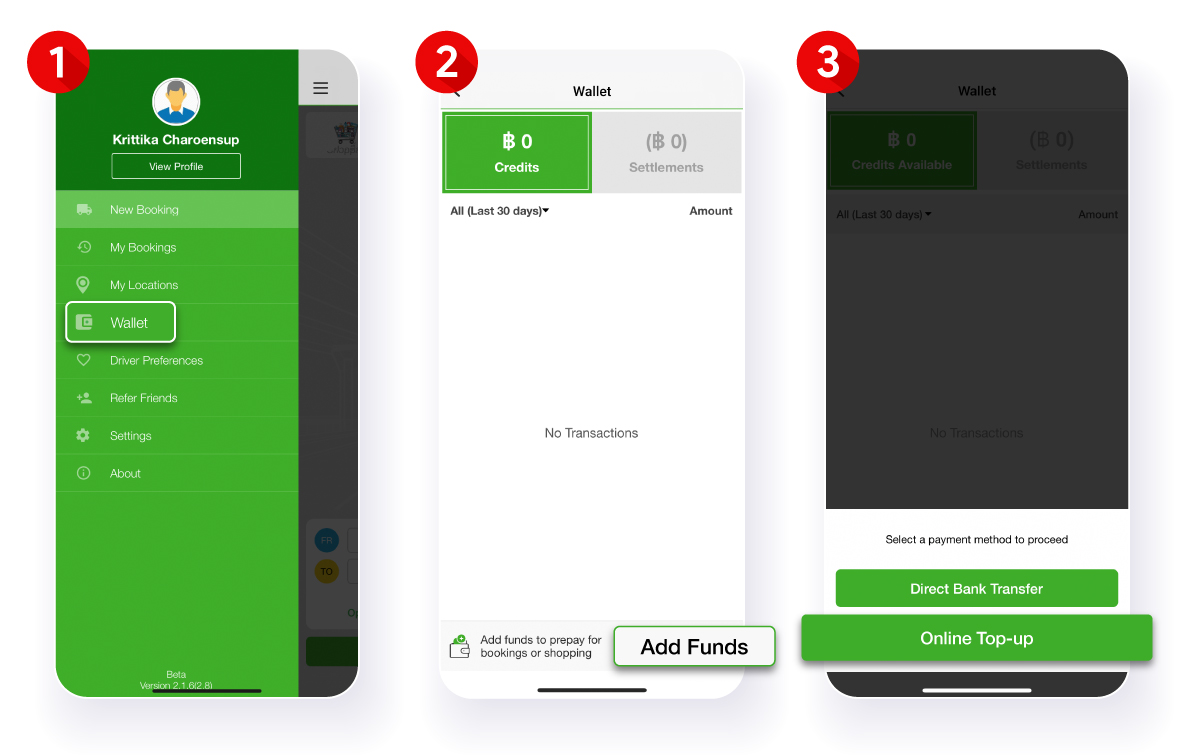
1. Go to the top left menu in the app and select “Wallet”
2. Click “Add Funds”
3. Select “Online Top-up” (click here for direct bank transfer option)
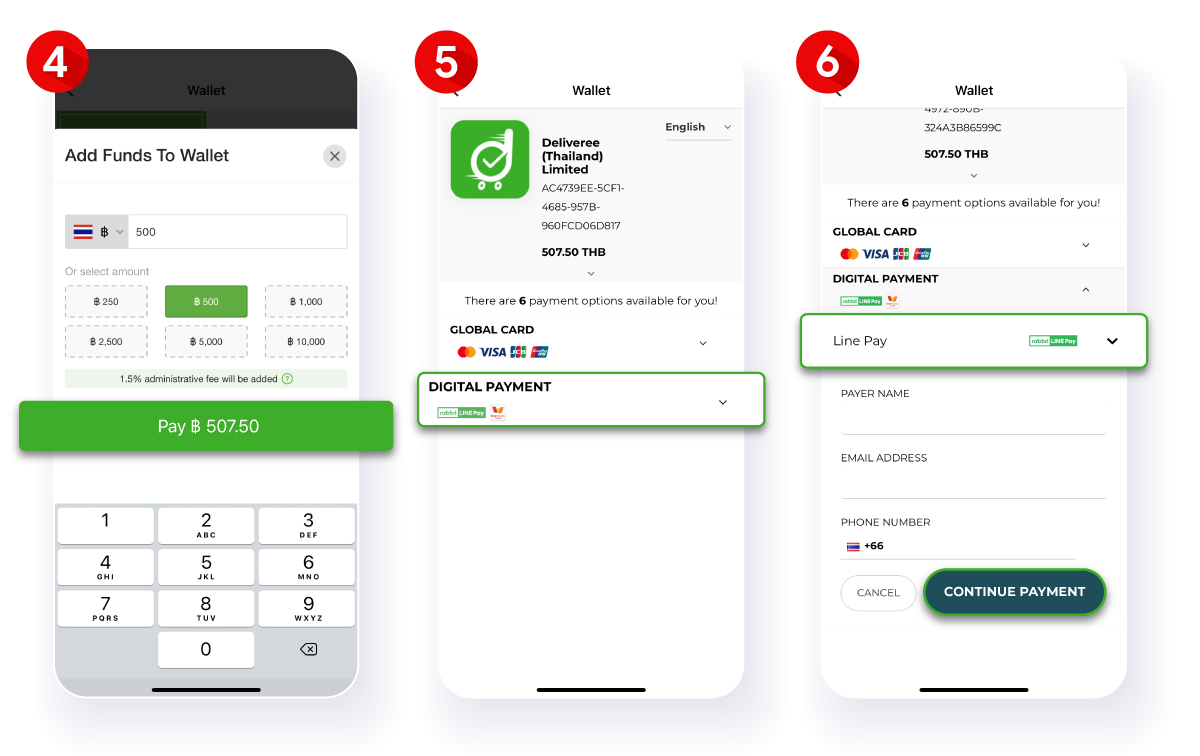
4. Specify prepay amount or choose from a predefined value, then click “Pay ฿ xxx”. Minimum prepay amount is 250 baht and maximum is 50,000 baht.
5. Prepay with Rabbit LINE Pay by clicking “Digital Payment”
6. Select Line Pay in the dropdown, input your details and click “Continue Payment”
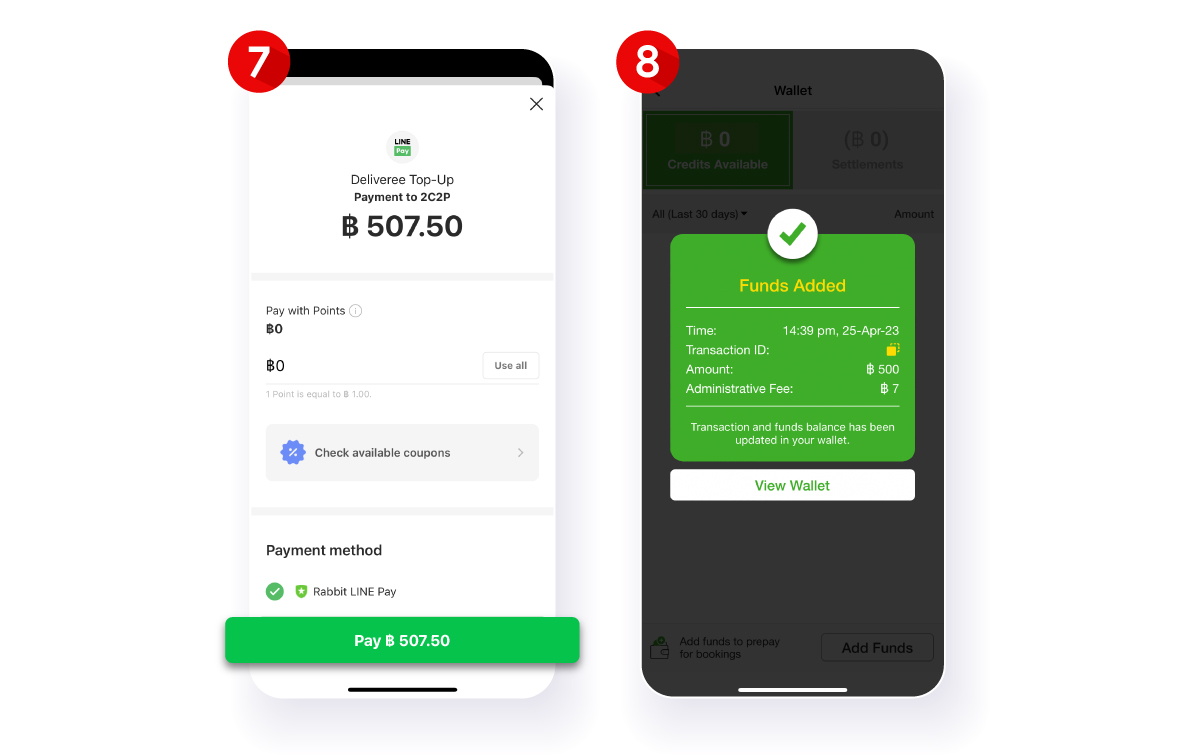
The system will automatically redirect you to Rabbit LINE Pay on the LINE application, select your preferred payment method and click “Pay ฿ xxx”
After a successful transaction, the prepay amount will be automatically added to your wallet. Click “View Wallet” to check top-up credits.
1.5% transaction fee will be applied for prepay made through Rabbit LINE Pay. Select direct bank transfer for a no-fee option. See instructions here.
How to Withdraw Your Prepay Credits
Your unused credits can be withdrawn through the following steps.
1. Submit your credit withdrawal request in this link.
2. Deliveree will verify and process your withdrawal and the refund will be made to the same card or e-wallet used for the original payment within 2 business days. The refunded amount may take up to 14 business days to appear on your card or e-wallet, depending on the bank/payment provider’s processing time.
Remarks: Credits available for withdrawal are credits from your bank transfer and online top-up prepay only, and exclude other credits from promotional campaigns or refunds.



 Chat
Chat